Their way to pay. Your way to run it.
Take payments at the till, keep the detail and move on to the next customer.
Choose your setup
The ways your customers pay.
Card, cash, gift card or bank transfer. Bring your payment methods together at the till.
- Connect a supported terminal or record external payments
- Keep your provider’s rates and payout terms
- Enable the methods that work for your shop

Split payments and deposits
One sale. More ways to pay.
Split a sale between card, cash or gift card. Take a deposit and collect the balance later.
- Split the total across enabled payment methods
- See what is paid and what remains
- Calculate change when your customer pays in cash

Gift cards
A gift card pays like any other method.
Sell, reload and take gift cards at the till. Each card keeps its balance and its history.
- Sell physical or digital gift cards at the till
- Take part of a sale from a card’s balance
- Reload a card, or refund a return onto one

Tips and donations
Add a tip. Make a donation.
Let customers thank your team or support an active campaign. They choose an amount or skip.
- Choose your tip percentages and custom-amount option
- Offer donation round-ups, presets or a custom amount
- Let customers skip either step

Refunds and exchanges
Handle returns from the original sale.
Find the order, select the items and issue a refund or exchange. Keep stock and payment details together.
- Refund a whole sale or selected items
- Record a reason and choose what returns to stock
- Settle the difference on an exchange

VAT
Every sale carries the right VAT.
Give each product its tax class. The back office totals what you collected, rate by rate.
- Set the tax class on each product
- Make a sale VAT-free, with its legal reason
- Export the VAT report for your accountant

At the end of the day
Close the day. Know where you stand.
Count the drawer, check the difference and leave a clear record for the next shift.
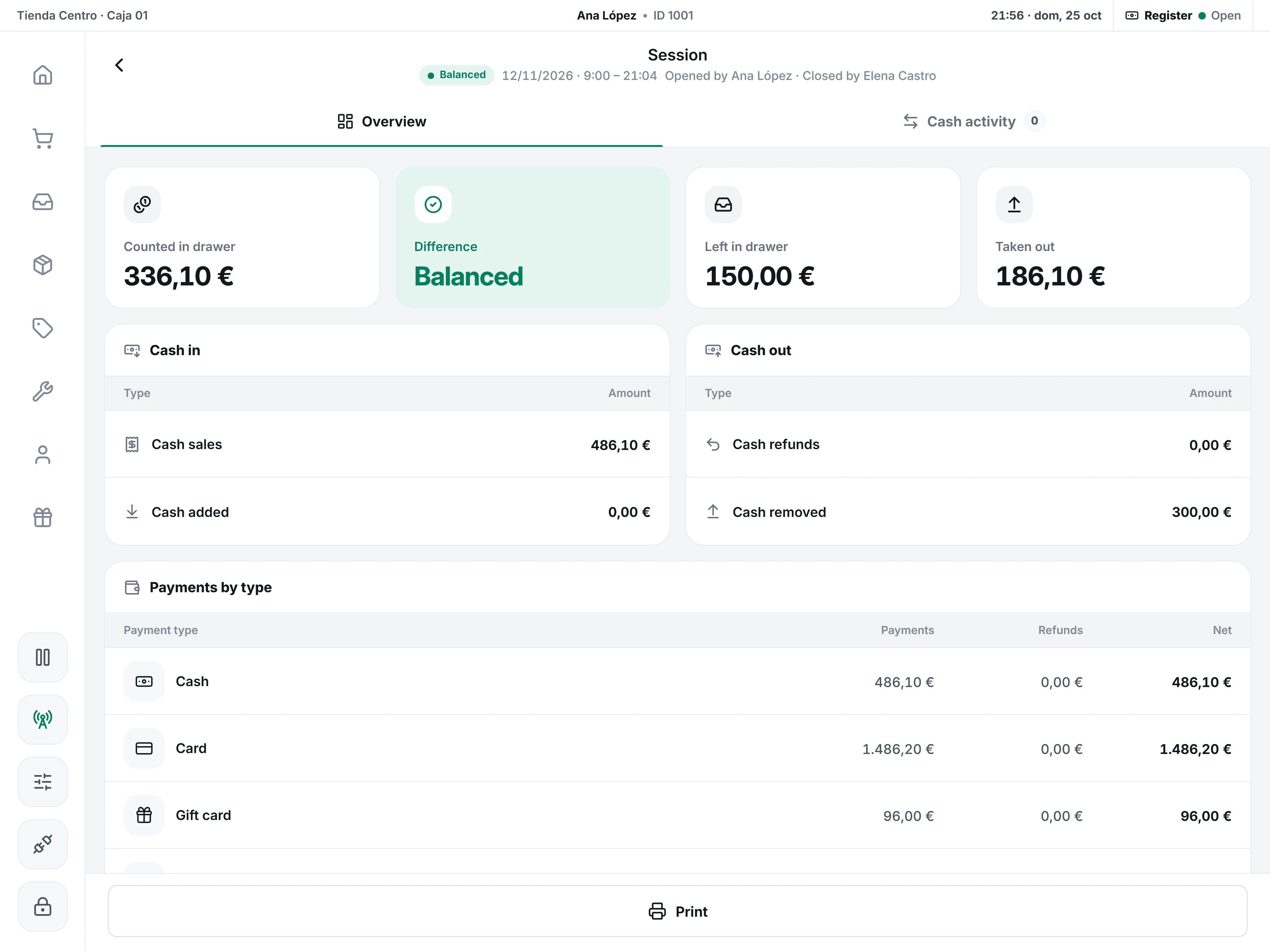
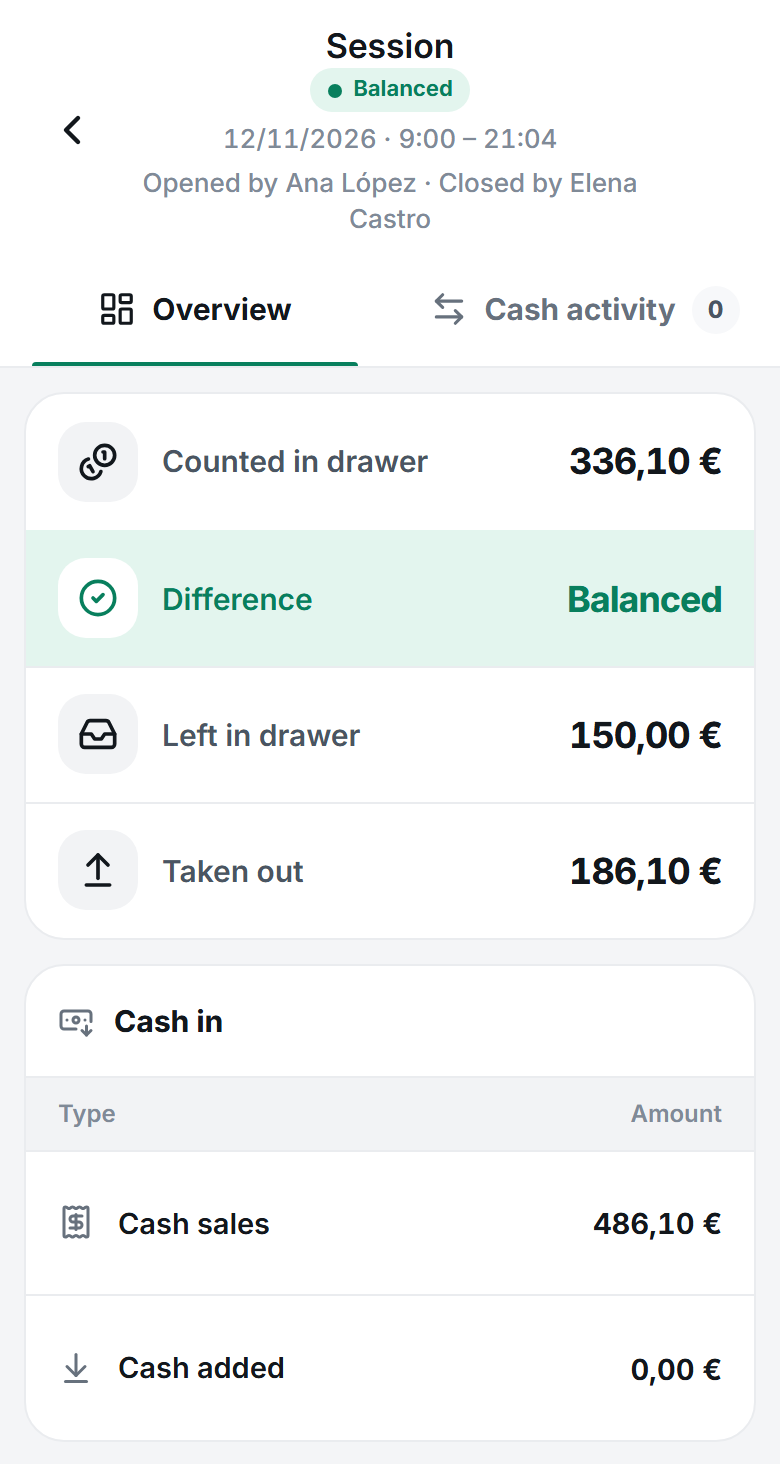
- Compare counted cash with the expected balance.
- See cash sales, refunds and drawer movements together.
- Keep a printable session record for the handover.
PAYMENT REPORTS
See the detail behind every total.
Understand how customers pay, find a payment when you need it, and take the figures into your next report.
Know your payment mix.
See card, cash and gift card payments side by side, with refunds and net totals in the same report.
Find the payment you need.
Find a payment by date, method or transaction type when a customer asks about a sale.
See where tips come from.
Review tips by staff or over time. Keep donation choices separate in the checkout.
Ready for your spreadsheet.
Choose the date range and columns, then export your payment records as CSV.
Questions
Payments, answered
Anything else about taking money, ask the person who would set you up.
Tell us which provider and terminal you use. We will check whether an integrated connection is available for your setup. You can also record payments taken on a separate terminal as your own payment method at the till. Your provider confirms its contract, rate and payout terms.
With a supported integrated terminal, staff send the amount from the till and the payment result returns to the sale. With a separate external terminal, staff enter the amount there and record the payment at the till. We confirm compatibility before setup.
Cash can continue offline where your checkout setup allows it. Card availability depends on your terminal, provider and connection; an offline setting does not guarantee that a card can be charged. Where VERI*FACTU is switched on, a sale needs the connection to close.
Yes. Split a sale by amount across card, cash, gift card and your own ways to pay, as many as the sale needs. You can also take a deposit now and collect the rest later from the order.
Yes, once you switch tips on. The till's payment screen offers up to three percentages you choose and an amount of the customer's own. Tips over time and tips by staff are in the back office's reports.
Yes, when a donation campaign is active. The checkout can offer a round-up, suggested amounts or a custom amount according to the campaign settings. The customer can skip the donation. Campaign setup and donation handling should be agreed before you enable it.
Yes. Sell, reload and redeem physical or digital gift cards at the till, take one as part of a split payment, and check a card's balance while you are online.
Refund a whole sale or selected items from the order, with a reason. On a supported terminal integration, a card refund refers to the original payment. If you take payments on a separate terminal, follow your provider's refund process and record the result on the order.
Only the card's brand, its last four digits and the approval code. The card number is never logged or stored.
On the till when you close the session: what you counted, what was expected, the difference and payments by type, ready to print. The back office keeps every session and transaction, with a CSV export for your bookkeeper.
Make payments fit your shop.
Tell us about your provider and checkout. We’ll help you find the right setup.